Microsoft PowerPoint
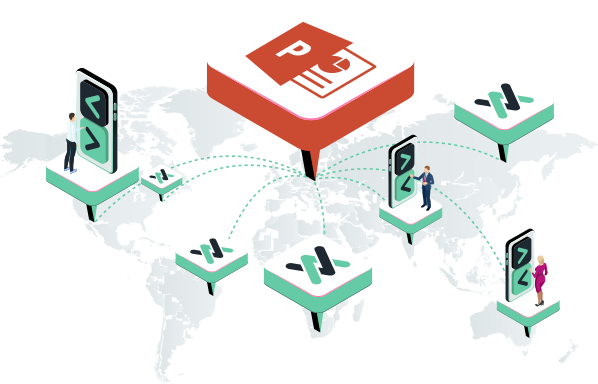
Cliqer enables you to remotely control your Microsoft PowerPoint slideshows with ease, whether you are on a Windows PC or a Mac. This integration allows for smooth navigation through your slides, helping you deliver more professional and engaging presentations.
Native Integration: Seamless Background Control
Cliqer's integration with Microsoft PowerPoint is engineered to be truly native, offering a significant advantage over traditional clickers that merely simulate keyboard presses. This advanced approach provides robust, focus-independent control:
- Focus-Independent Operation: One of the standout benefits is that Cliqer can reliably control your PowerPoint presentation even if PowerPoint is not the active, focused window on your desktop. This is invaluable for presenters who need to consult notes in another application, manage live streaming software, or interact with other tools simultaneously without interrupting slide control.
- Direct Application Communication: Instead of simply sending generic keystrokes (like Page Up/Down), Cliqer communicates more directly with the PowerPoint application itself. On macOS, this is often achieved through system accessibility and automation APIs, while on Windows, similar deep integration techniques are used. This direct line ensures commands are precisely delivered to PowerPoint.
- Enhanced Reliability and Precision: Because Cliqer isn't dependent on which window is currently selected, the risk of unintended clicks or commands being sent to the wrong application is virtually eliminated. This leads to a more professional and stress-free presentation experience.
- Cross-Platform Consistency: The native control benefits are designed to work effectively across both macOS and Windows, providing a consistent experience regardless of your operating system.
This deeper level of control ensures that your presentations run smoothly, allowing you to concentrate on your delivery and audience engagement rather than software quirks.
System Permissions for Native Control: To unlock Cliqer's powerful native control over PowerPoint on macOS, including its ability to operate reliably when PowerPoint is not in focus, ensure that Cliqer has the necessary system permissions (specifically Accessibility and Automation). These permissions are crucial for Cliqer to directly and dependably communicate with the PowerPoint application.
Effortless Background Control: On Windows, Cliqer's native integration allows it to manage your PowerPoint slideshows effectively without the PowerPoint window needing to be constantly active or in focus. This gives you the freedom to multitask on your presentation machine while maintaining full remote control over your slides.
Setup and Usage
- Ensure Cliqer is running on your host computer.
- Open your PowerPoint presentation and start the slideshow.
- Connect to Cliqer using the presenter link on your remote device (smartphone, tablet, etc.).
- You should now be able to control the slide progression seamlessly, even if PowerPoint isn't the foremost window.
For more general setup instructions, refer to the How to Use Cliqer guide.
Visit official PowerPoint use case page on cliqer.io
Next: Google Slides (native)